Your New Hire Just Asked Where the Warranty Manual Is. For the Third Time This Week.
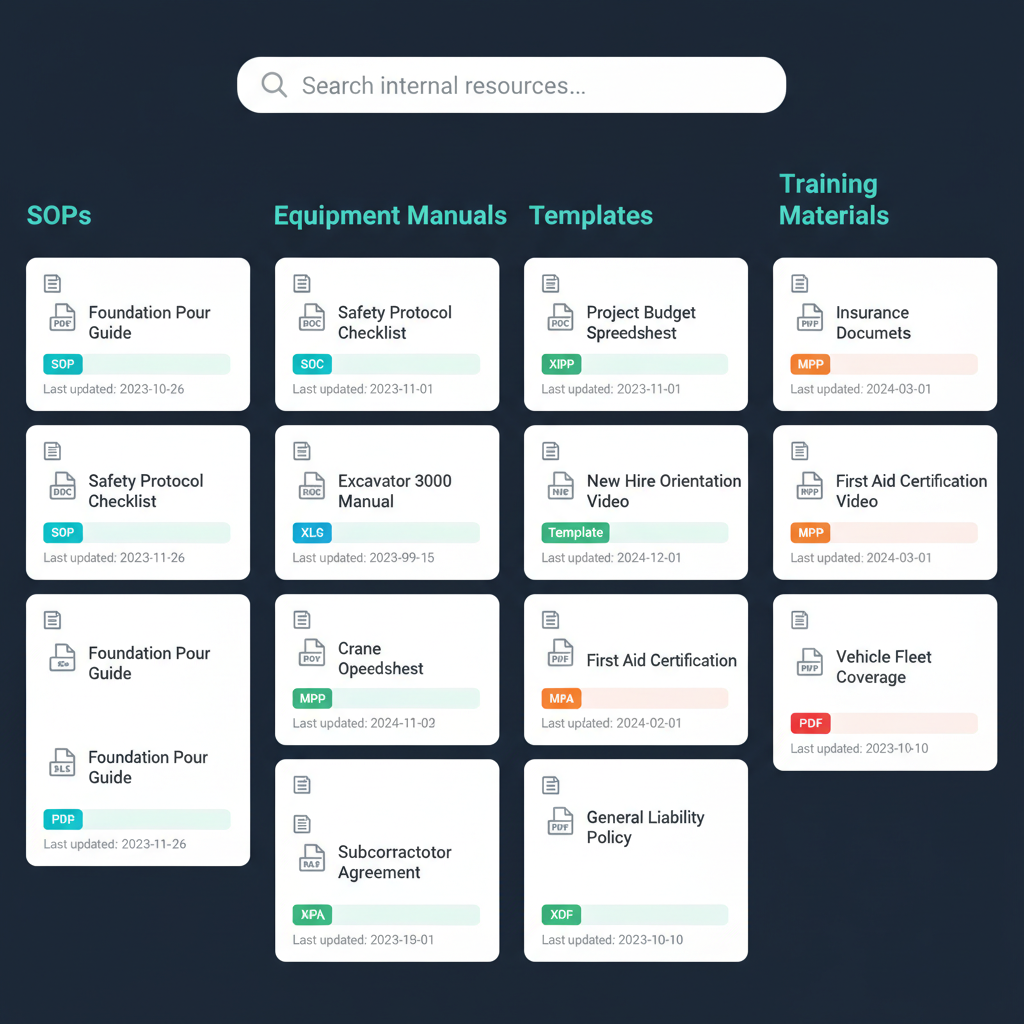
WFP's Resource Center is your company's internal knowledge base — SOPs, manuals, templates, training videos, insurance documents, and every other resource your team needs, centralized in one location accessible to everyone. New hires onboard faster. Established employees stop asking where things are. The answers live in the system, not in someone's head.
Your Company's Institutional Knowledge Lives in Three People's Heads and One Shared Drive Nobody Can Find
Marcus hired a new project manager two weeks ago. The first three days, the new PM shadowed Jessica. He asked where the onboarding checklist was. Jessica said there was not one — she would walk him through it. He asked where the standard neighbor notification letter template was. She pulled it from her email and forwarded it. He asked about the warranty process for Pentair pumps. She pointed him to a PDF on the shared drive — but the shared drive mapping broke on his laptop, and IT took two days to fix it.
By the end of the first week, the new PM had collected documents from four different people, saved them to his own desktop, and renamed half of them. Jessica had spent roughly eight hours answering questions that a centralized knowledge base would have answered in minutes. Marcus asked Jessica how the onboarding was going. She said fine, but she was behind on her own projects because she had been training instead of managing.
This happens every time someone new joins. And it happens in smaller ways every day: a PM searching his email for a template, an office coordinator asking where the latest insurance certificate is, a sales rep looking for the company's standard addendum language.
Institutional knowledge that lives in people instead of systems walks out the door every time someone leaves. Here is how to keep it in the building.
The Solution
One Place for Everything Your Team Needs to Know
The Resource Center is not a feature add-on. It is the institutional memory of your organization — the difference between a company that scales and a company where knowledge walks out the door with every departing employee.
Every Manual, SOP, and Template — Centralized and Current
The Resource Center holds general liability insurance documents, neighbor letter templates, warranty manuals for every equipment brand, pump and heater manuals, SOPs for every process, training videos, contract addendums, and any other company-level resource. Unlike project-specific file management, these documents are not tied to individual jobs. They are organizational resources accessible to every authorized team member from one location.
Your Construction Company's Intranet — Without the IT Department
WFP's Resource Center functions as an internal intranet for your organization. No SharePoint configuration. No IT project. Upload documents, organize them into categories, and your entire team has access. This is the centralized hub that replaces the shared drive nobody can find, the email attachments nobody saved, and the desktop folders that exist on one person's computer.
New Hires Find Answers Without Consuming Your Best PM's Week
When the next new hire starts, you point them to the Resource Center. Onboarding checklists, process documentation, equipment manuals, and training materials are all there. Jessica does not spend eight hours answering questions. The new PM does not need to collect documents from four people. The Resource Center is the first-day orientation that runs itself.
No More 'Is This the Current Version?' Conversations
Documents in the Resource Center are centrally maintained — when the SOP is updated, every team member accesses the current version from the same location. No version confusion. No outdated template floating around in someone's email from six months ago. One document, one location, always current.
The Difference
Why Project File Storage Is Not a Knowledge Base
Company Resources vs. Project Files
Buildertrend, JobTread, and Procore all let you attach files to projects. None of them provide a separate, company-wide repository for resources that exist outside of any single project. A warranty manual for a Pentair VS pump is not a project file — it is a company resource used across dozens of projects. A neighbor notification letter template is not specific to one job. Without a dedicated Resource Center, these documents get uploaded to one project and then hunted for when the next project needs them.
Accessible Without a Project Context
In project-based file management, you need to open a specific project to find a specific file. WFP's Resource Center is accessible independently of any project — your team searches the knowledge base directly. A new hire looking for the onboarding checklist does not need to know which project it was uploaded to. It is in the Resource Center, categorized and searchable.
Institutional Continuity
When a PM leaves, their project files stay with the projects. But the SOPs they followed, the templates they customized, and the process knowledge they carried — that leaves with them. A Resource Center provides institutional continuity independent of any individual employee. The knowledge stays even when the people change.
Employees Reported Higher Satisfaction — Because the Tools Actually Helped Them
When a construction company centralized its operational knowledge inside WFP — SOPs, manuals, templates, training materials — employees reported higher satisfaction because they could find answers without interrupting colleagues or guessing at processes. A Resource Center does not just organize documents. It tells every employee: the company invested in making your job easier. For a new PM, that message starts on day one — when the onboarding checklist, the process documentation, and every equipment manual are already waiting.
Very intuitive to just jump into it and figure things out fairly quickly just by poking around.
File Management in WFP stores project-specific documents — surveys, contracts, blueprints, engineering plans, and 3D renderings associated with individual projects. The Resource Center stores company-wide resources — SOPs, manuals, templates, training videos, insurance certificates, and any document that is not tied to a specific project. Both features exist in WFP, serving different purposes. See the full File Management capabilities at /features/file-management.
WFP's Resource Center lets you organize documents into categories — Equipment Manuals, Process SOPs, Templates, Training Materials, Insurance Documents, and any custom category you need. Documents are accessible to all authorized team members from one centralized location, on any device. No shared drive mapping, no email searching, no asking a colleague for a file.
Yes. The Resource Center supports all document types including video files. Training videos for onboarding new employees, process walkthroughs, and equipment tutorials can all be uploaded and organized alongside written SOPs and manuals.
A new hire pointed to the Resource Center on day one has access to every SOP, every manual, every template, and every training material the company has produced. Instead of shadowing a senior PM for a week and collecting documents from four different people, the new employee accesses the centralized knowledge base and self-serves. This reduces onboarding time and frees your experienced team to focus on their projects.
The Resource Center is organized into categories and accessible from the main platform navigation. Team members browse categories or navigate directly to the resource they need. This replaces the "where is that file?" conversation with a centralized, structured library.
Common Resource Center contents for construction companies: general liability insurance certificates, neighbor notification letter templates, warranty manuals (by equipment brand and model), pump and heater technical manuals, safety SOPs, onboarding checklists, contract addendum templates, process documentation for each project phase, training videos, and company policy documents. Anything that more than one person needs to access and that is not tied to a specific project belongs in the Resource Center.
WFP is $2,500/month — one price, unlimited users, unlimited projects, full access to all features including the Resource Center, project file management, project management, financial dashboards, and everything else. The Resource Center is not an add-on. It is included. See the full pricing breakdown at /pricing.
Explore More of the Platform
See how this feature connects to the rest of the platform.
See How WFP Centralizes Your Company's Institutional Knowledge
Get a personalized demo showing the Resource Center alongside project management, file management, and everything else your team needs in one platform.
Schedule a DemoUnlimited users. Unlimited projects. One price.